
The constant mission of Agilebase is to allow people to shape their own software, rather than have their software force a shape onto their business.
The way we do that is with No Code, letting people understand how the system works and helping them to build it from the ground up, supported by expert partners as well as AI.
This month’s major release helps in both of those areas.
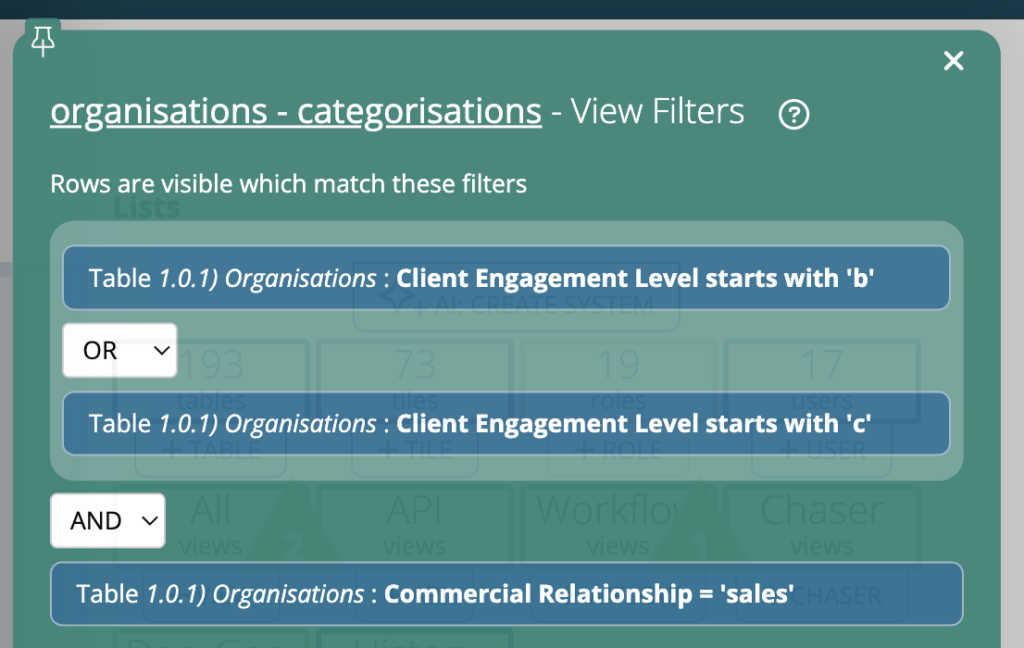
For new developers – OR filters
One of the first things new developers do is create a view. For example, someone new working internally with us recently wanted a view of all customers with their industry categorisations. Creating that view is pretty easy, just make a new view from the organisations table and add some filters to narrow it down.
They wanted to add the filter customer status is ‘current’ or ‘ex’. This is where a bit of complexity comes in – for an ‘OR’ filter, you’d normally need to create a calculation, as filters in Agilebase were always combined with AND.
With this release’s new feature though, you can combine filters with both AND and OR as you see fit, reducing friction and removing the need to introduce a new concept for a simple task.
For expert developers – entity diagrams
From the development homepage, you can see how tables and views connect together, i.e. which tables relate to each other or which views are joined to each other.
Taking an example view which pulls in data from quite a lot of others might give you a node diagram like this:
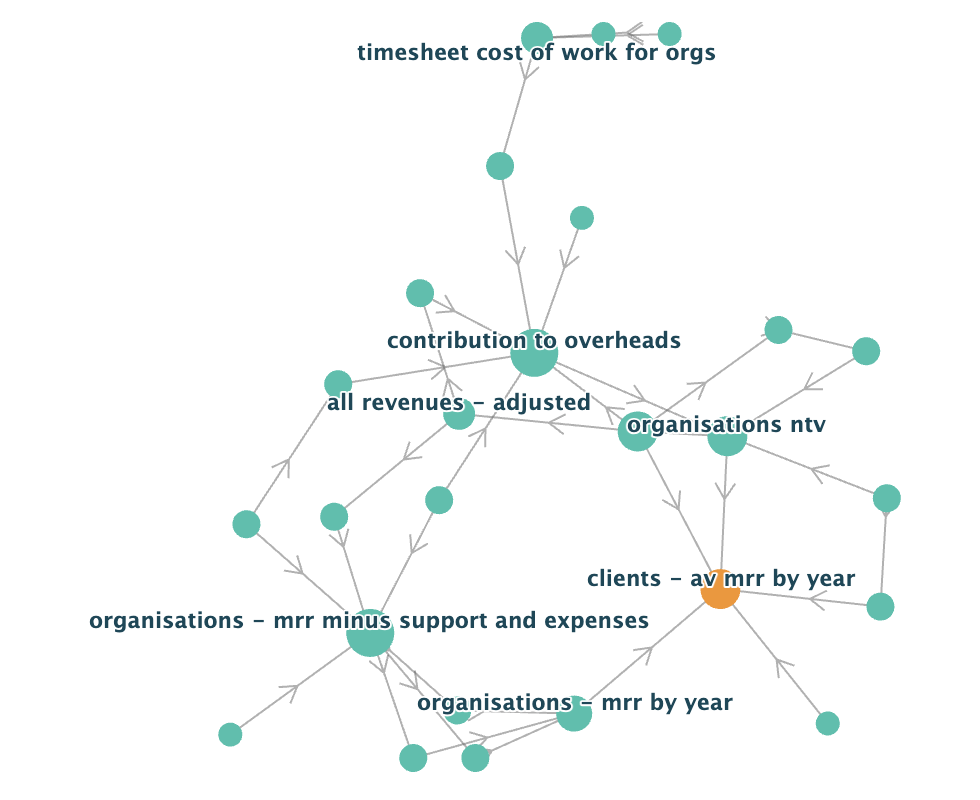
Hovering over each node shows the view or table name and you can quickly get a feel for firstly, how complex that area of the application is and secondly, what types of data feed into the target.
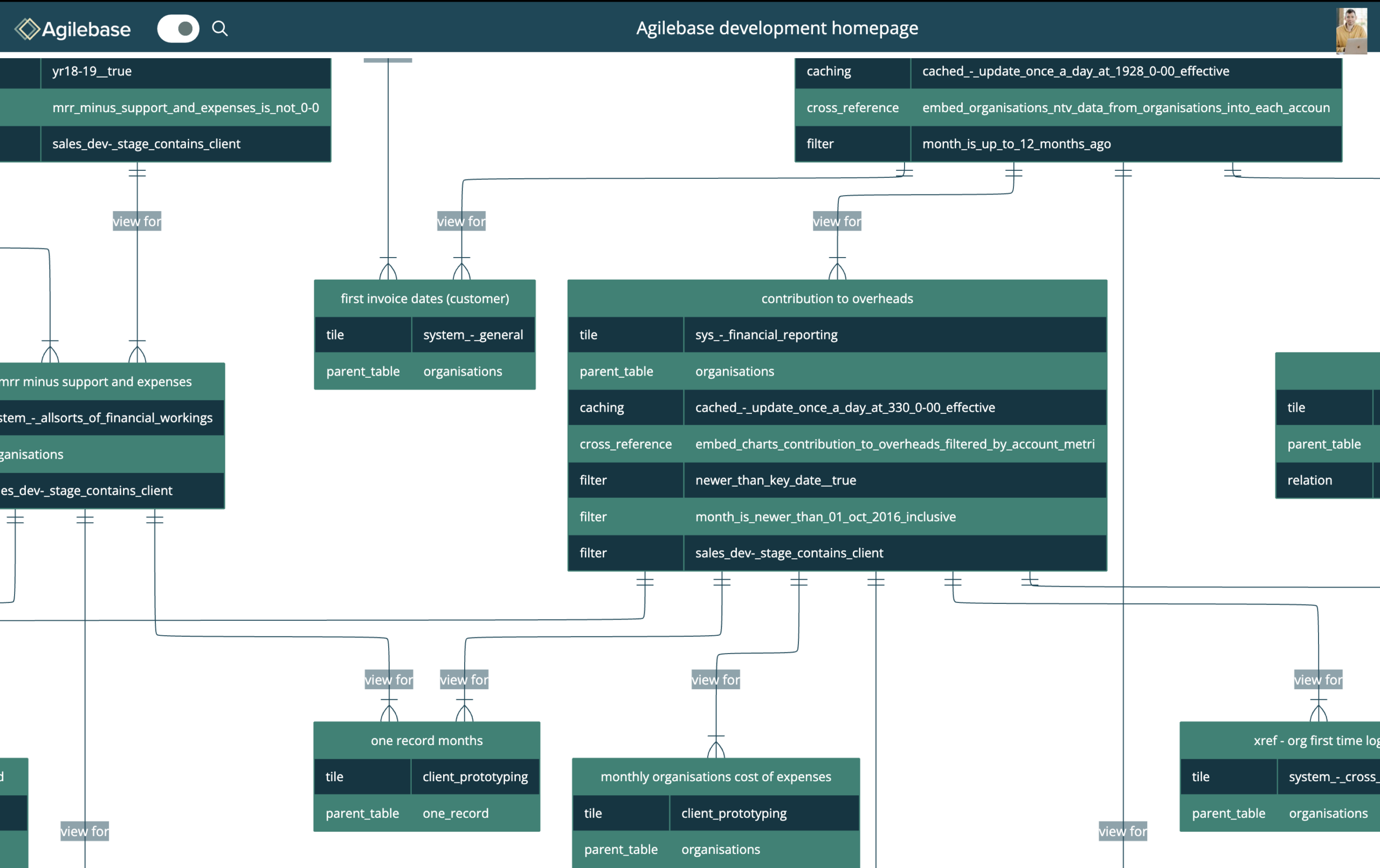
There’s now an option to show the connections as a full ‘entity relationship diagram’, a section of which looks like
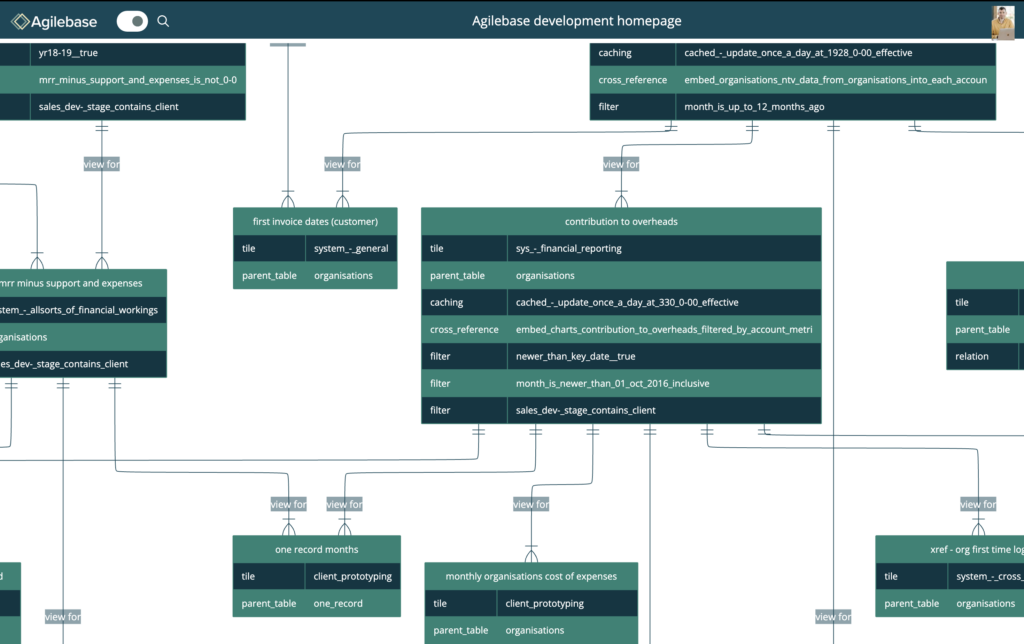
Here you can see important details about each view (or table) – which views are cached, the filters which act on each, how they’re used for APIs or workflows etc., giving you a complete understanding of how the system as a whole works.
You can click on each entity to load the editing panel, allowing you to drill in and make changes.
This is an early release to let customers and partners try this out, get some real world use out of it and feed back how well it works for them.
In the longer run there are plenty of enhancements which could be made, like
- differentiating different views more clearly, by colour, shape or icon, for example highlighting APIs which communicate with third party systems, or workflows
- finessing the display – at the moment as you can see, property names can’t contain spaces
- show the different types of connections between objects, e.g. ‘one to one’ or ‘many to one’ relationships
Please let us know what’s most important for you – I’m sure there will be plenty of ideas flowing in.
Other improvements
As well as these major improvements, since the last release notes from 11th February, a raft of others has been released:
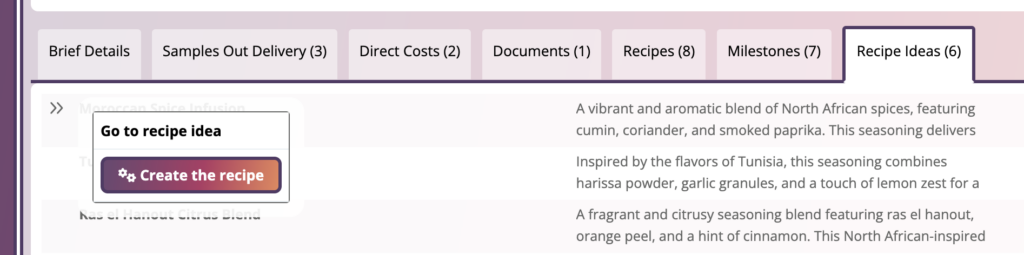
Workflow buttons in tabs
To allow actions to be accomplished in less clicks, workflow buttons from child records will now be surfaced without having to go into those records
.
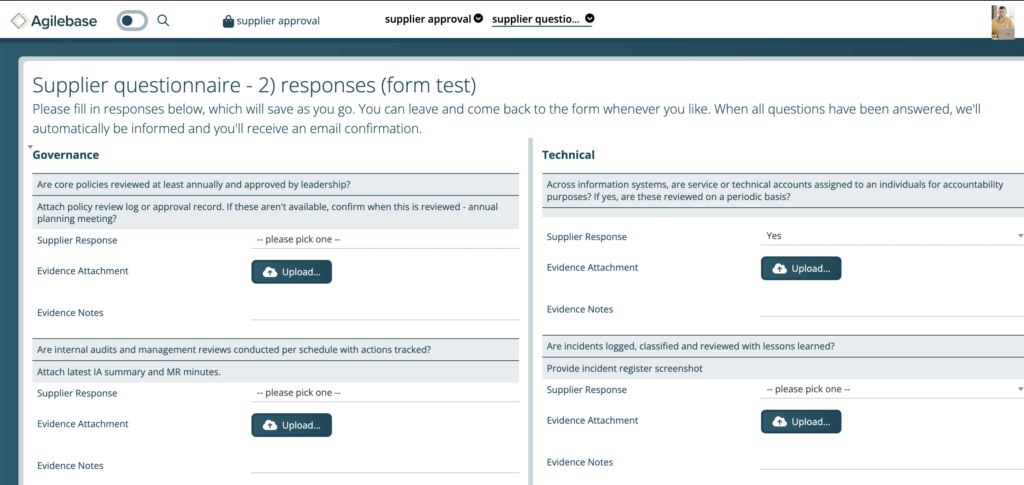
Form style interface
A new interface for views, in addition to the standard ‘spreadsheet’ style, kanban cards or a calendar. Each row in the view becomes a set of fields in a form. This could be great for allowing data entry by third parties outside the company, e.g. for creating a supplier questionnaire.
Many other smaller incremental improvements and bug fixes can be seen at
https://github.com/agileChilli/Agilebase-updates/issues?q=is%3Aissue%20state%3Aclosed
If you are a customer or partner and require access, please let us know at support@agilebase.co.uk